 Free Shipping Progress Bar for WooCommerce
One more item in every cart.
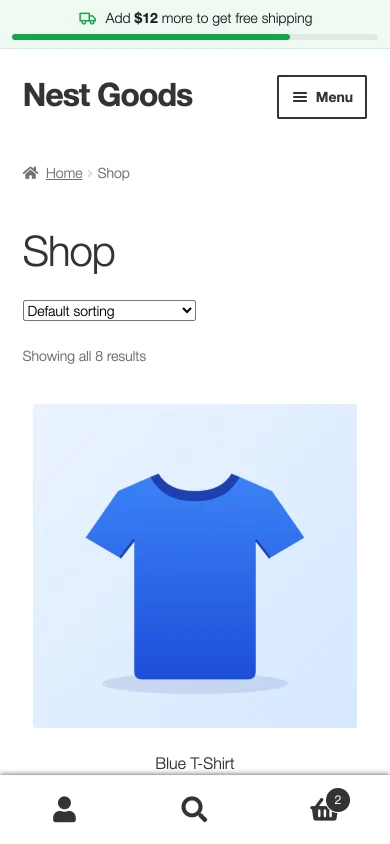
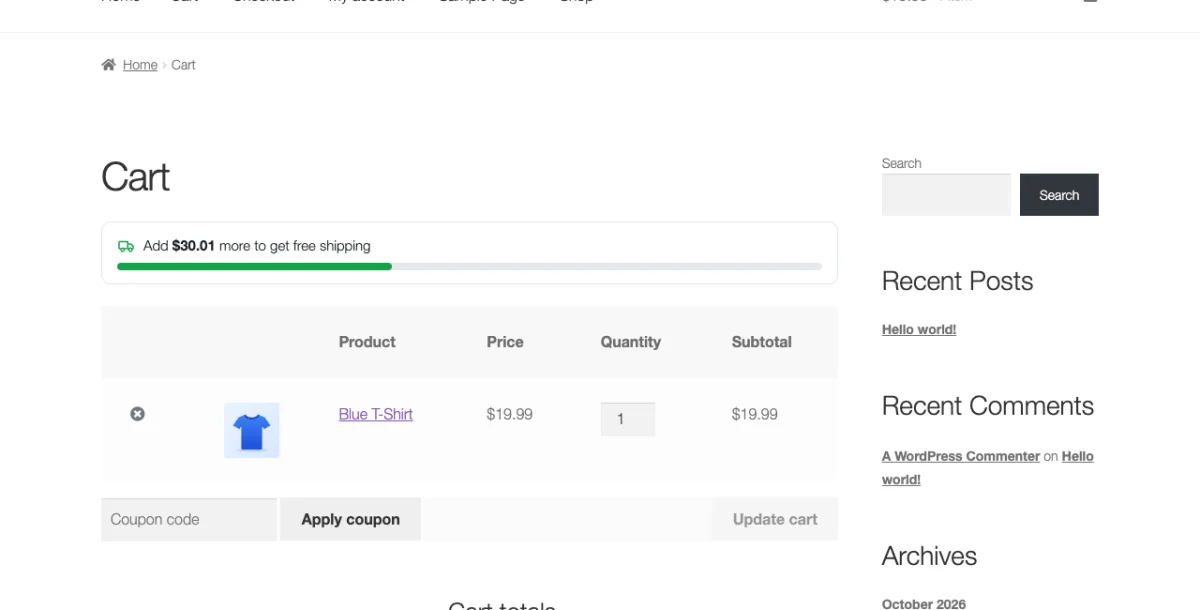
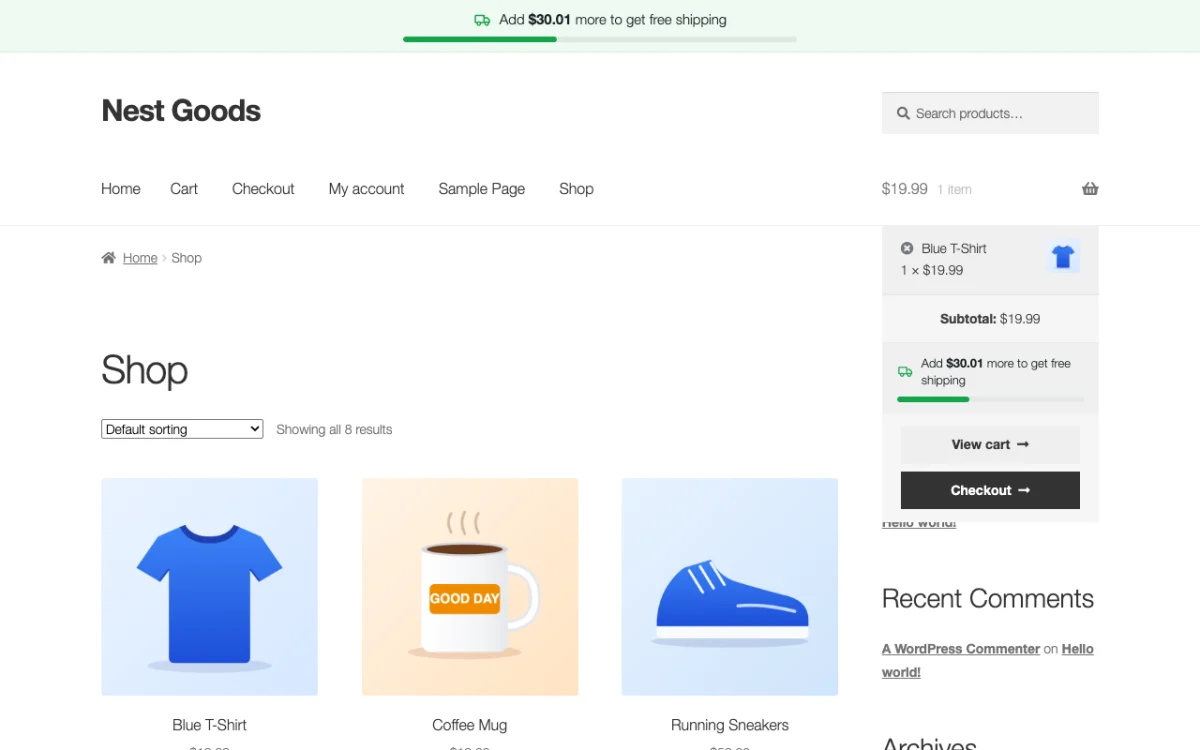
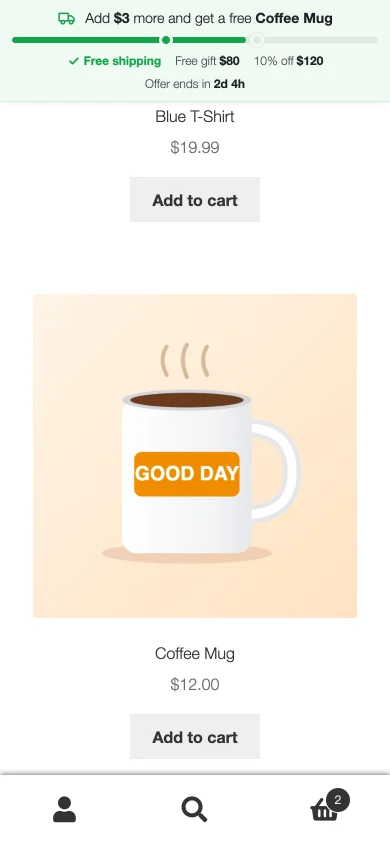
"Add $12 more to get free shipping" is the simplest reason to add one more product. This bar shows it on every page and fills up as the cart grows, with the exact amount from your WooCommerce shipping settings.
The free plugin is waiting for its WordPress.org review. Until then, download it here.
What the free plugin does
What Pro adds
See it in a real shop
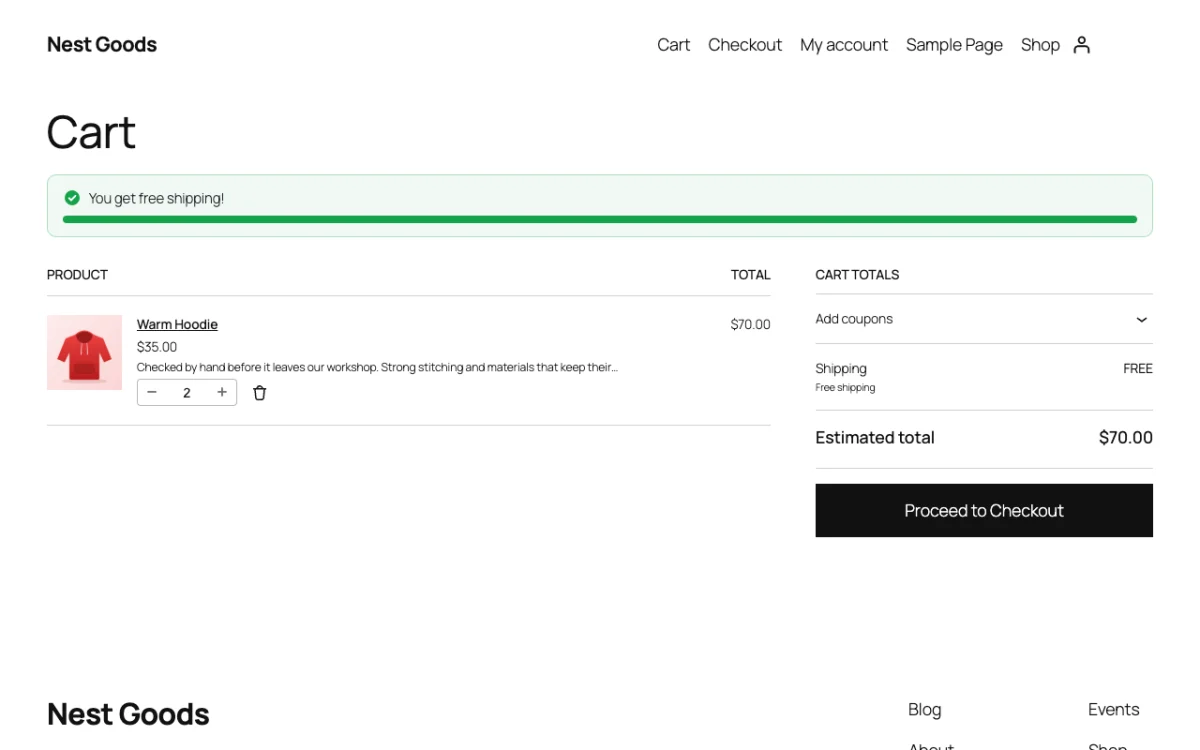
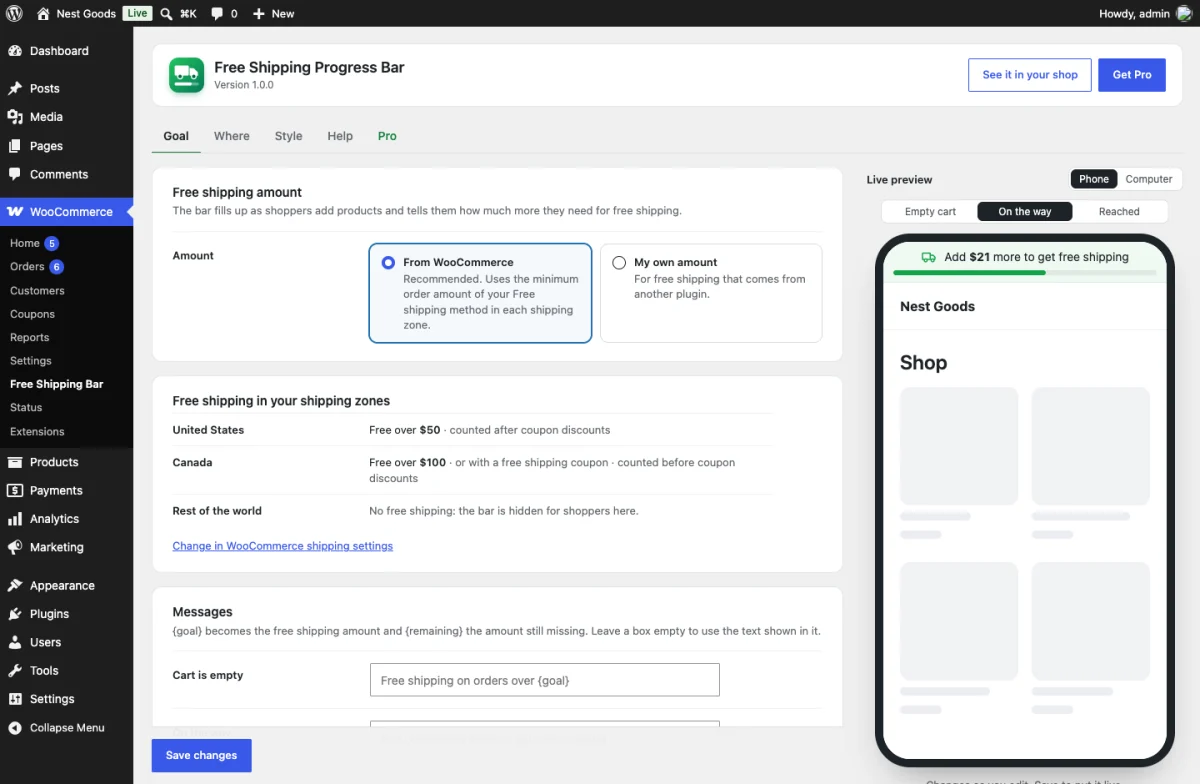
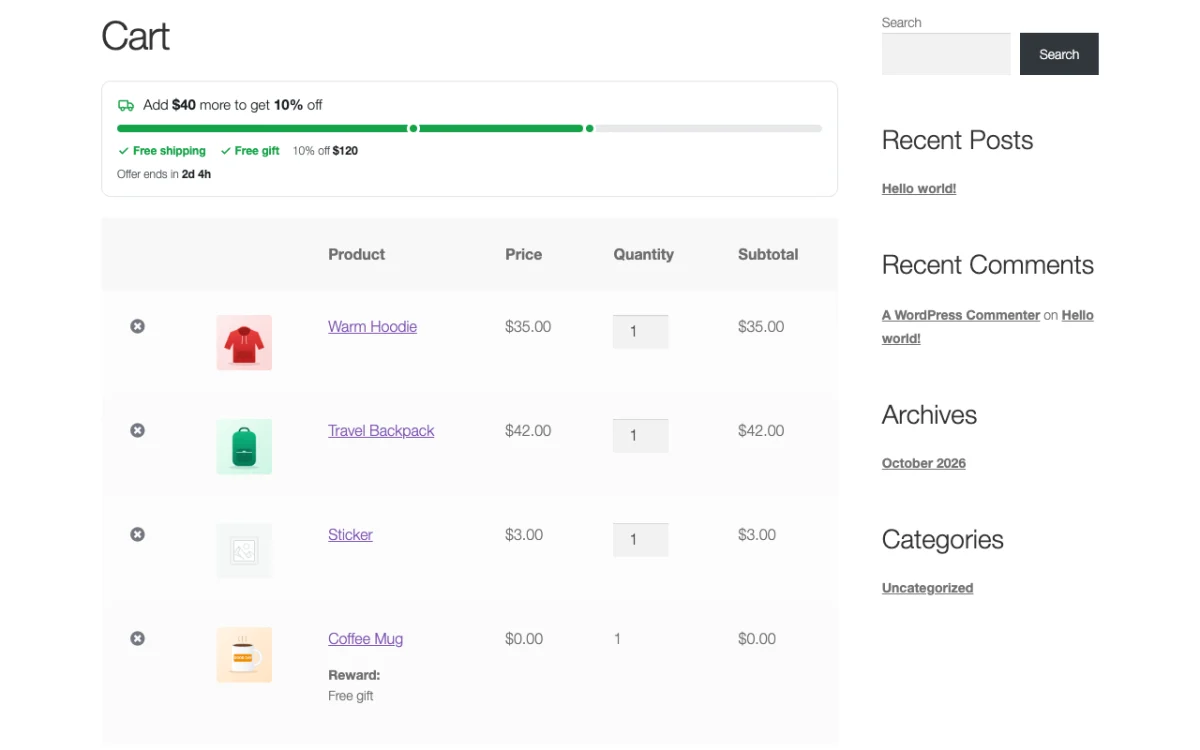
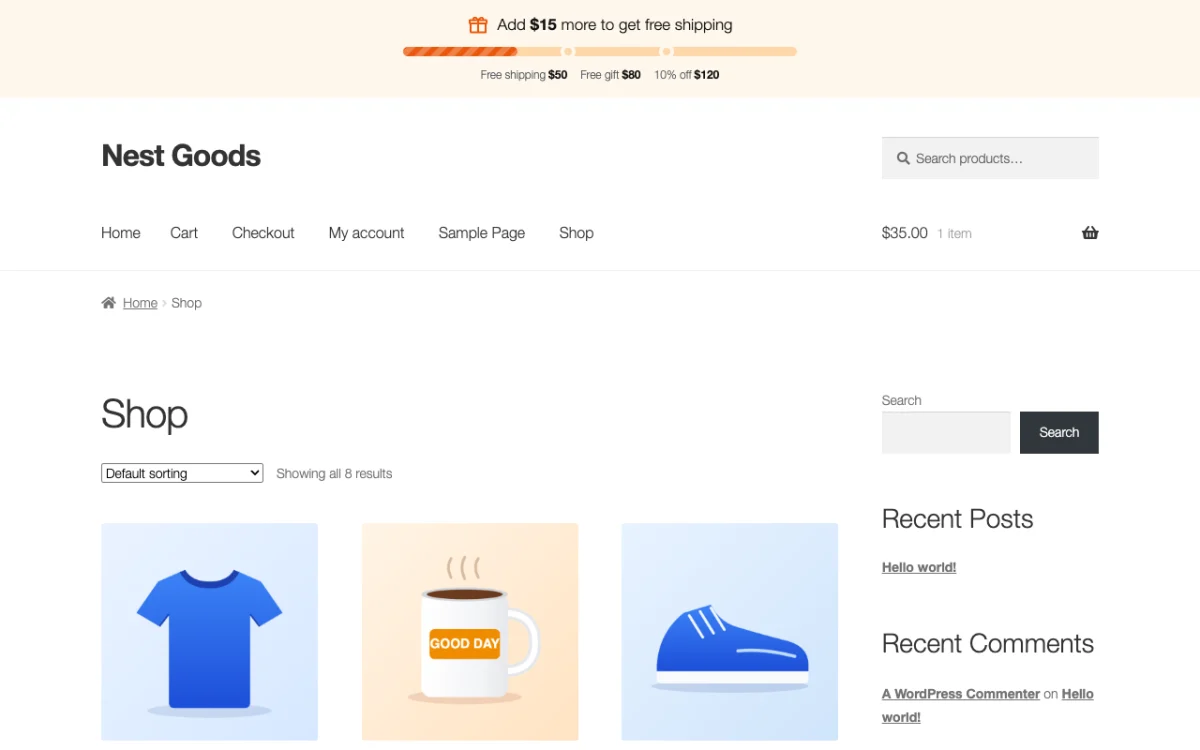
Free or Pro?
| Feature | Free | Pro |
|---|---|---|
| Bar on every page, cart, checkout and mini cart | ✓ | ✓ |
| Amount from WooCommerce shipping zones | ✓ | ✓ |
| Fills up without page reload | ✓ | ✓ |
| Free shipping chosen for the shopper | ✓ | ✓ |
| Own texts, light / dark / colored | ✓ | ✓ |
| Several goals on one bar | – | ✓ |
| Free gift and discount rewards | – | ✓ |
| Free shipping without WooCommerce setup | – | ✓ |
| Offer dates and countdown | – | ✓ |
| Full design and sticky top bar | – | ✓ |
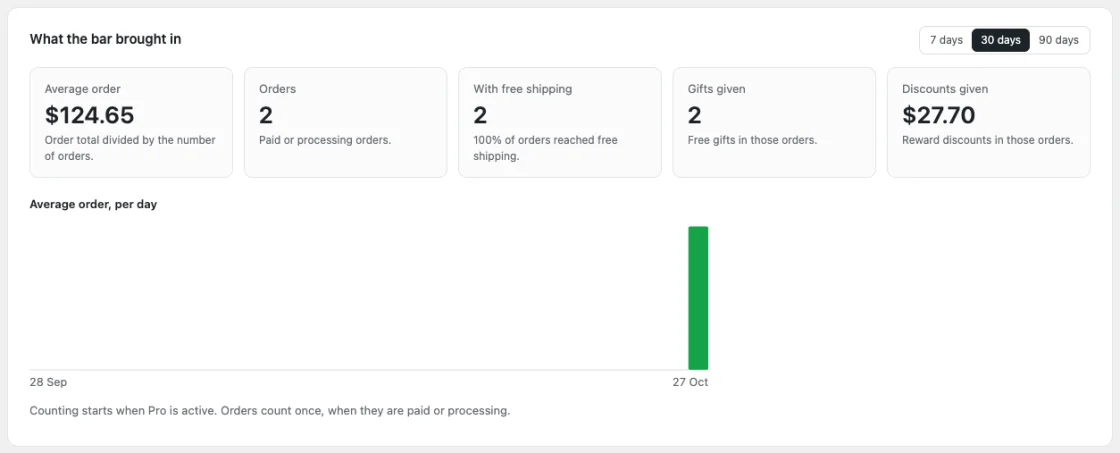
| Report | – | ✓ |
Free Shipping Progress Bar Pro
Pick how many shops and for how long. The free plugin stays free.
Pro opens for sale as soon as the free plugin is on WordPress.org. Want it first? Write to help@oneclickorderpro.com.
1 site
For one shop
$3.99 /month
One month of Pro
Buy Monthly$39.90 /year
Just $3.33 a month
Buy Yearly$99 once
Pay once, use it forever
Buy Lifetime5 sites
For agencies and shop groups
$7.99 /month
One month of Pro
Buy Monthly$79.90 /year
Just $6.66 a month
Buy Yearly$199 once
Pay once, use it forever
Buy LifetimeUnlimited sites
As many shops as you like
$14.99 /month
One month of Pro
Buy Monthly$149 /year
Just $12.42 a month
Buy Yearly$399 once
Pay once, use it forever
Buy LifetimeAll Pro features in every plan. Monthly and yearly licences do not renew by themselves: we email you before the end with a Renew button, and you keep the same key. Local and staging sites never use up a site. Secure checkout by PayPro Global, our reseller.
Good to know
Does the bar give free shipping?
Your WooCommerce shipping settings do; the bar shows the way there with the same amount and the same counting, so the two always agree. Pro can also make shipping free by itself at your own amount.
What if a shopper's country has no free shipping?
Then they see no bar. Each shipping zone uses its own amount.
Does it work with page caching?
Yes. A cached page fixes its bar right after loading when the visitor's cart is different.
Something else?
Write to help@oneclickorderpro.com or use the contact form.
More plugins
 New
Sticky Add to Cart Bar
by Plugin Nest · Conversion
Keeps the Add to cart button on screen. A slim bar with the product, price and button slides in when shoppers scroll down.
Free
Pro from $3.99 a month
New
Sticky Add to Cart Bar
by Plugin Nest · Conversion
Keeps the Add to cart button on screen. A slim bar with the product, price and button slides in when shoppers scroll down.
Free
Pro from $3.99 a month
 One Click Order
by Plugin Nest · Checkout
A Buy Now button and one short order form. Shoppers skip the cart and checkout, you get a real WooCommerce order.
Free
Pro from $4.99 a month
One Click Order
by Plugin Nest · Checkout
A Buy Now button and one short order form. Shoppers skip the cart and checkout, you get a real WooCommerce order.
Free
Pro from $4.99 a month