 CartGlide for WooCommerce
Keep shoppers on the page.
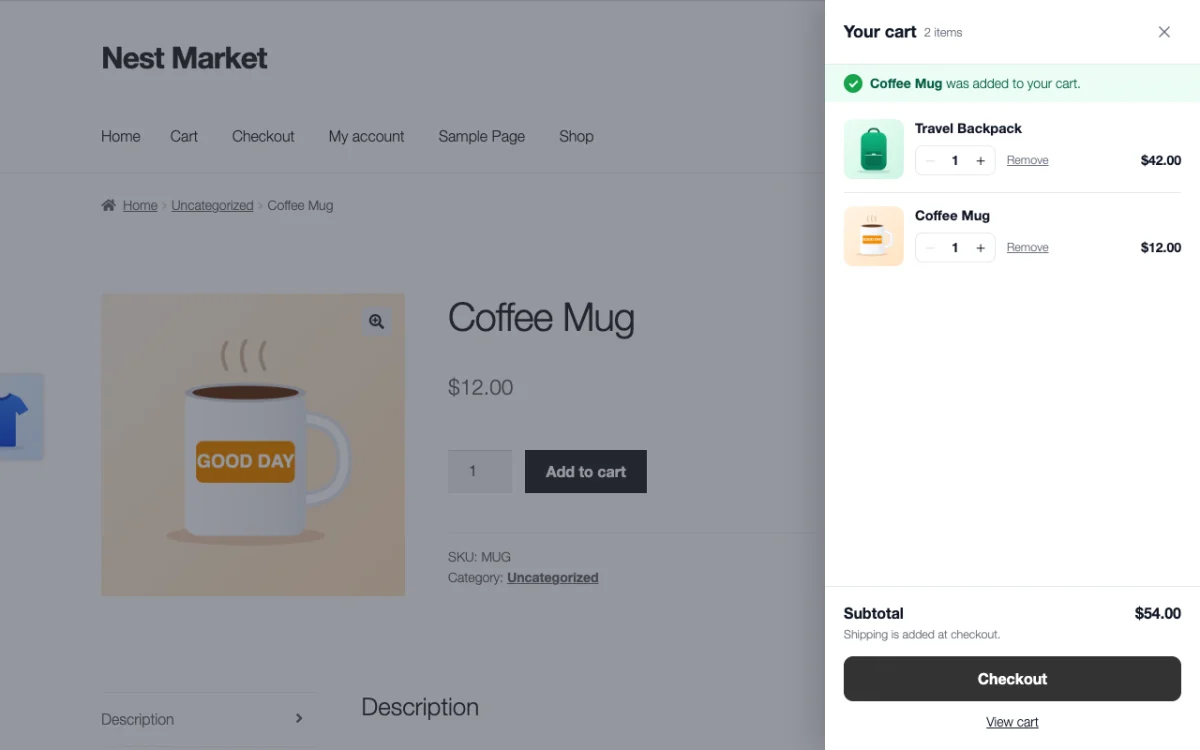
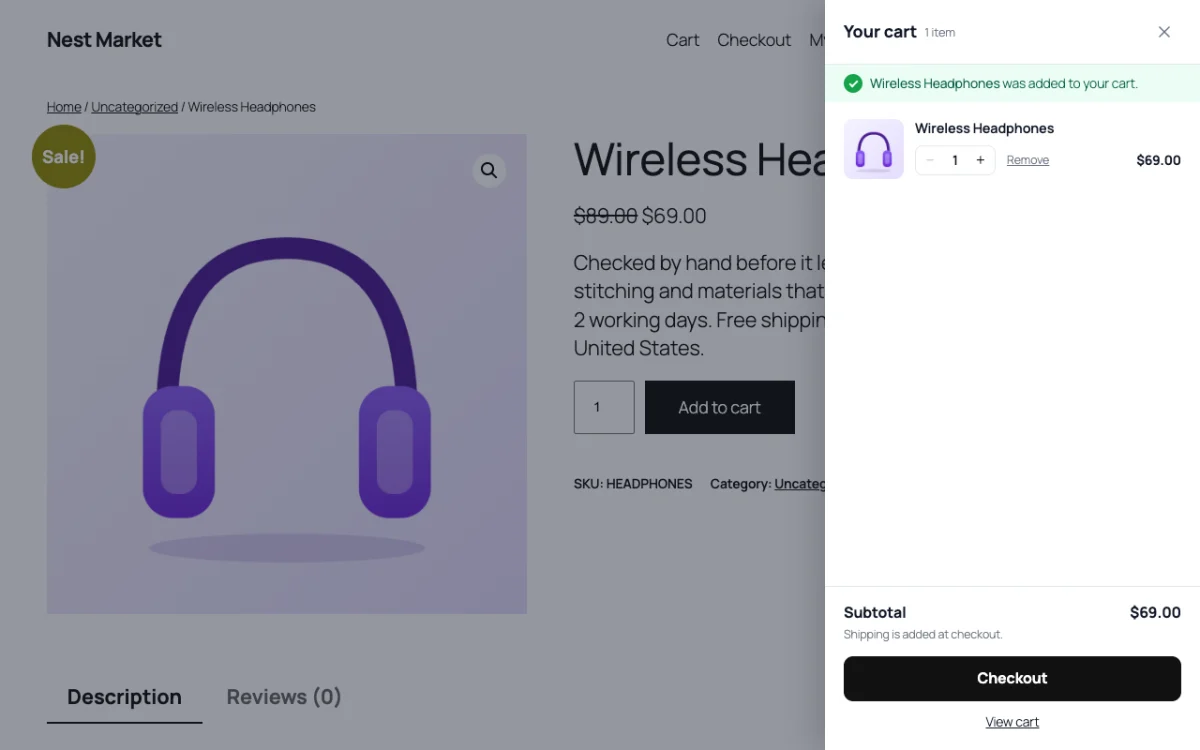
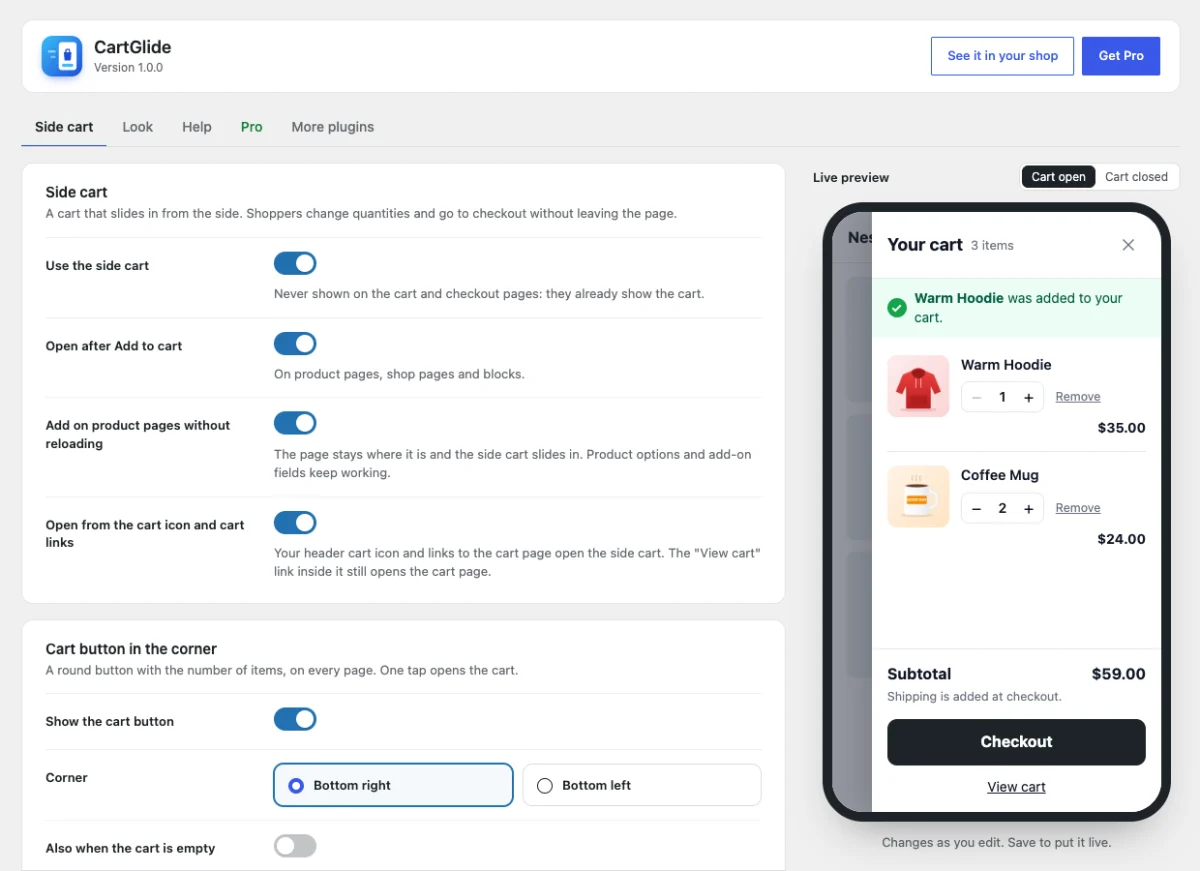
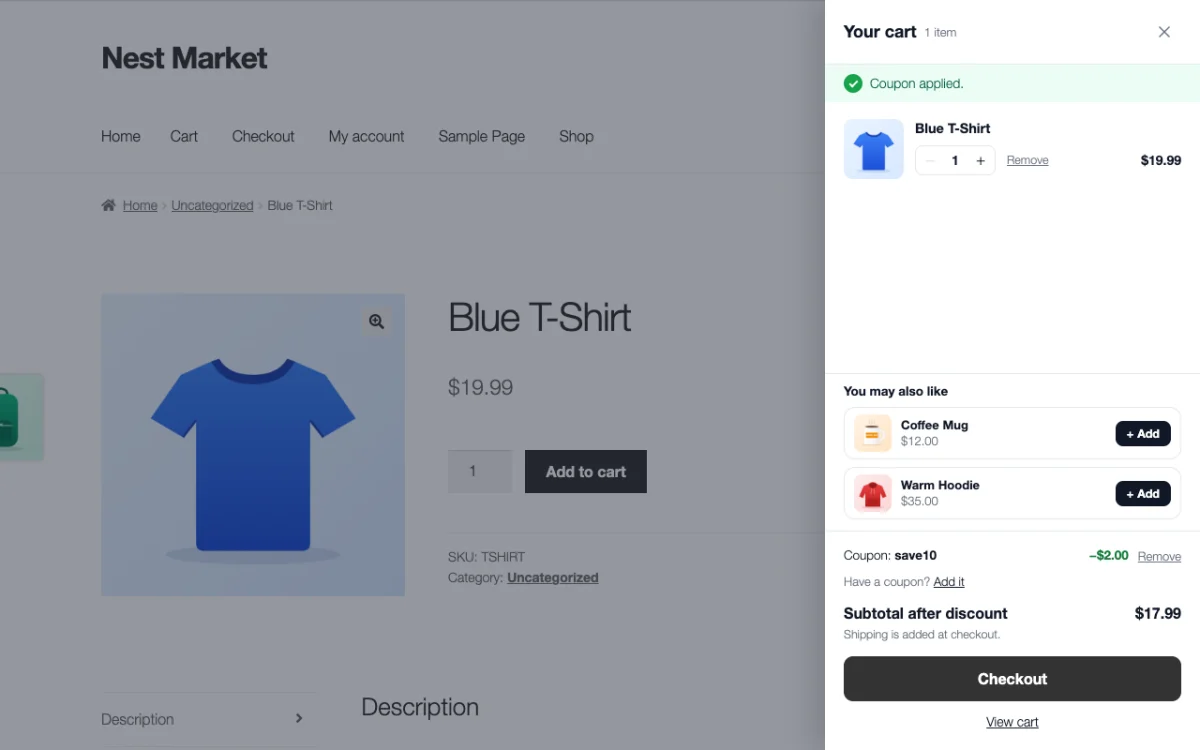
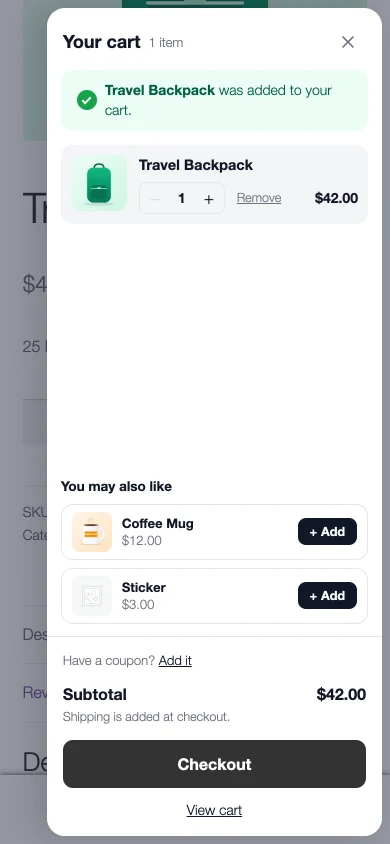
After Add to cart, most shops reload the page or jump to the cart page. CartGlide slides the cart in from the side instead: the product just added, the rest of the cart, the subtotal and a big Checkout button. Shoppers check out, or close it and keep shopping.
The free plugin is waiting for its WordPress.org review. Until then, download it here.
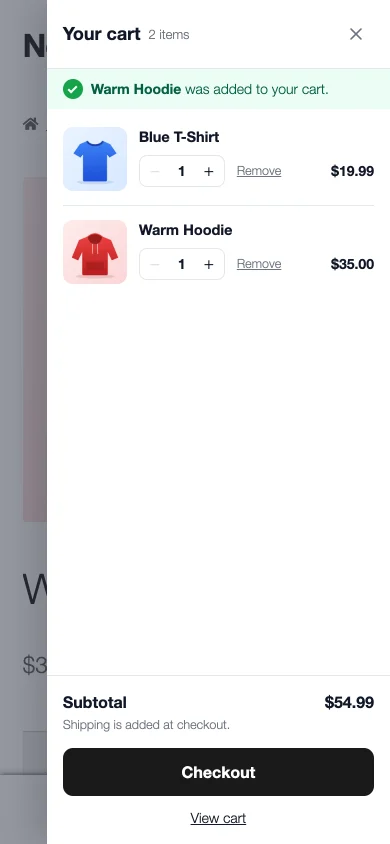
What the free plugin does
What Pro adds
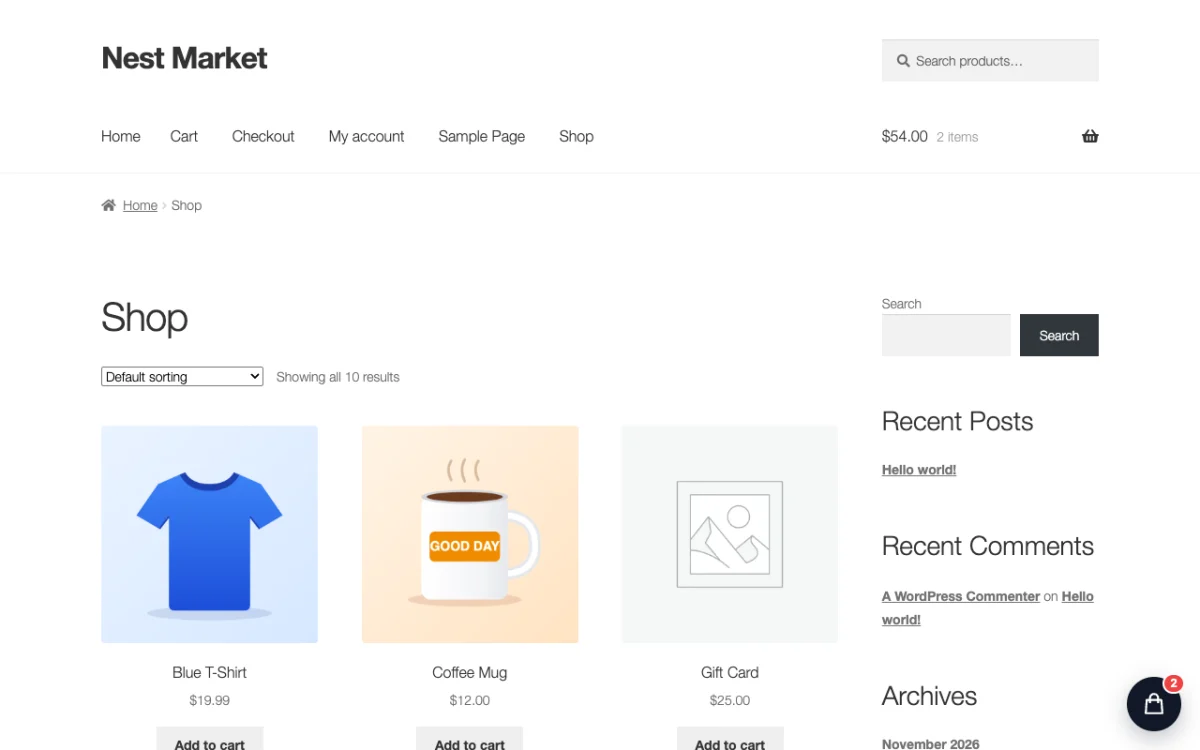
See it in a real shop
Free or Pro?
| Feature | Free | Pro |
|---|---|---|
| Side cart after Add to cart, without page reload | ✓ | ✓ |
| Quantity buttons, Remove, subtotal, Checkout | ✓ | ✓ |
| "Added to your cart" line | ✓ | ✓ |
| Corner cart button | ✓ | ✓ |
| Opens from the header cart and cart links | ✓ | ✓ |
| Own title, button text, side and button color | ✓ | ✓ |
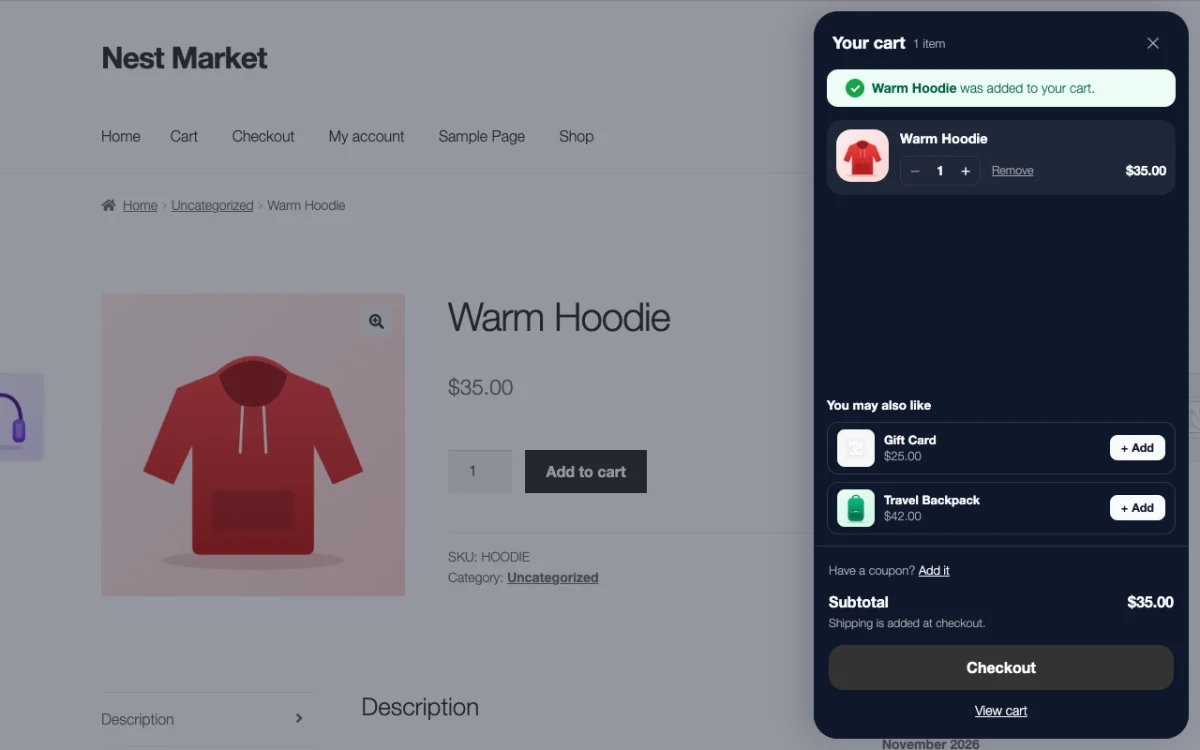
| You may also like (one-tap add) | – | ✓ |
| Coupon box | – | ✓ |
| Floating card and full design | – | ✓ |
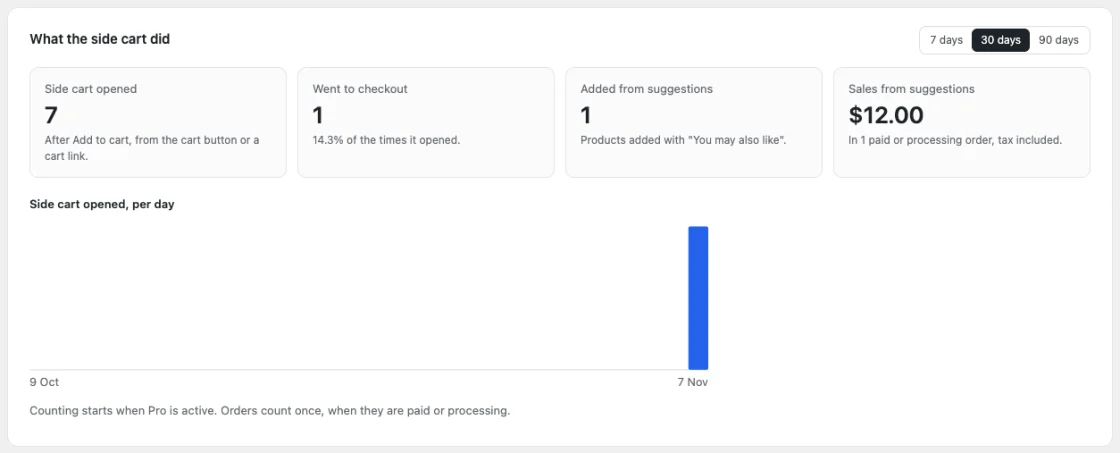
| Report | – | ✓ |
CartGlide Pro
Pick how many shops and for how long. The free plugin stays free.
Pro opens for sale as soon as the free plugin is on WordPress.org. Want it first? Write to help@oneclickorderpro.com.
1 site
For one shop
$3.99 /month
One month of Pro
Buy Monthly$39.90 /year
Just $3.33 a month
Buy Yearly$99 once
Pay once, use it forever
Buy Lifetime5 sites
For agencies and shop groups
$7.99 /month
One month of Pro
Buy Monthly$79.90 /year
Just $6.66 a month
Buy Yearly$199 once
Pay once, use it forever
Buy LifetimeUnlimited sites
As many shops as you like
$14.99 /month
One month of Pro
Buy Monthly$149 /year
Just $12.42 a month
Buy Yearly$399 once
Pay once, use it forever
Buy LifetimeAll Pro features in every plan. Monthly and yearly licences do not renew by themselves: we email you before the end with a Renew button, and you keep the same key. Local and staging sites never use up a site. Secure checkout by PayPro Global, our reseller.
Good to know
Does it replace my cart page or checkout?
No. They stay as they are. The side cart has a View cart link and a Checkout button that open them.
Does it work with page caching?
Yes. The page holds an empty side cart; its content is loaded for each shopper.
My shop goes to the cart page after Add to cart.
That is a WooCommerce setting (WooCommerce → Settings → Products). CartGlide follows it. Turn it off to use the side cart.
Something else?
Write to help@oneclickorderpro.com or use the contact form.
More plugins
 CartPin
by Plugin Nest · Conversion
Sticky Add to Cart bar. Keeps the Add to cart button on screen. A slim bar with the product, price and button slides in when shoppers scroll down.
Free
Pro from $3.99 a month
 New
CartMeter
by Plugin Nest · Conversion
Free shipping progress bar. Shows shoppers how much more to spend for free shipping. The bar fills up as they add products.
Free
Pro from $3.99 a month
 One Click Order
by Plugin Nest · Checkout
A Buy Now button and one short order form. Shoppers skip the cart and checkout, you get a real WooCommerce order.
Free
Pro from $4.99 a month