 CartBrim for WooCommerce
Keep shoppers on the page.
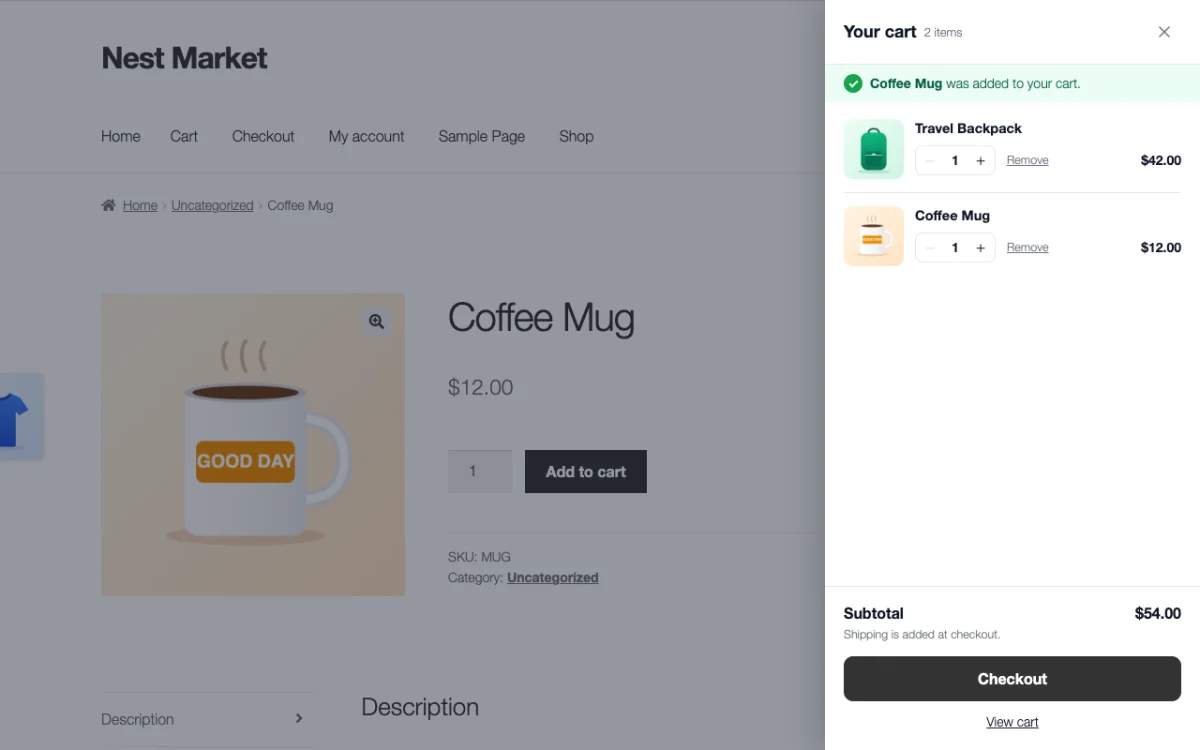
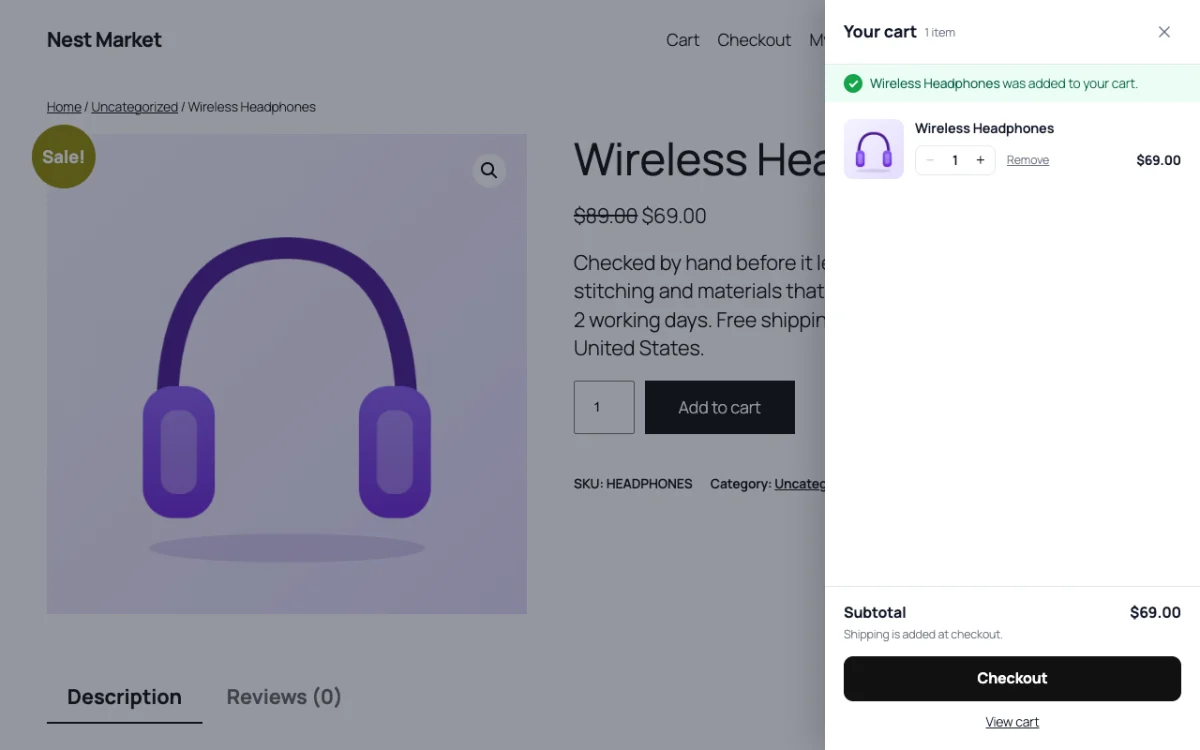
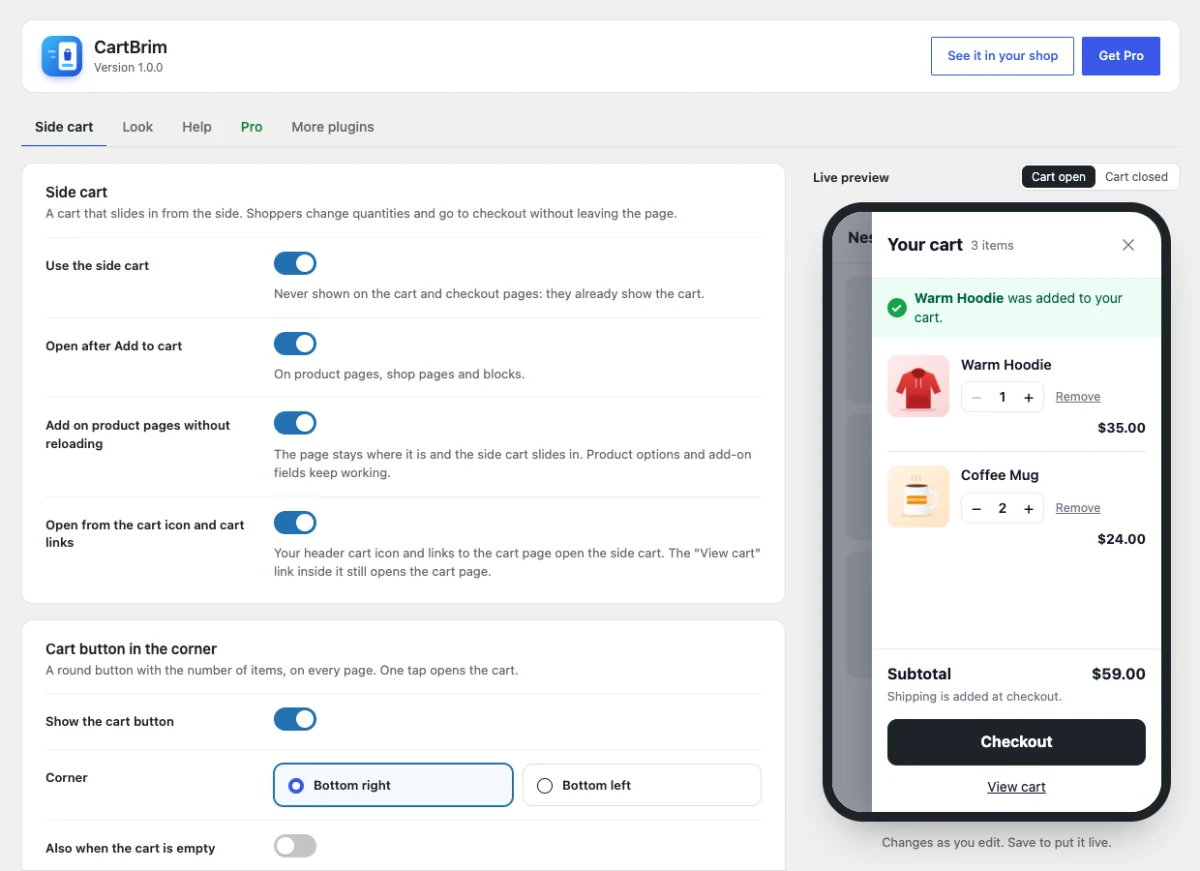
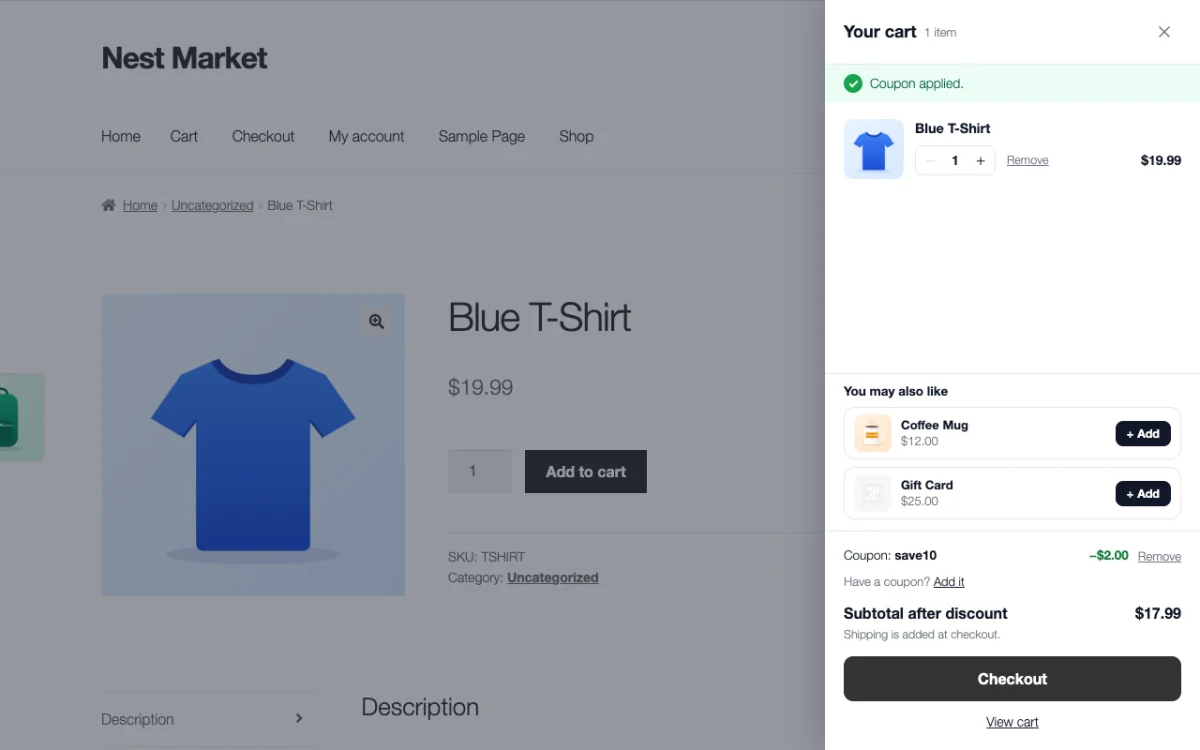
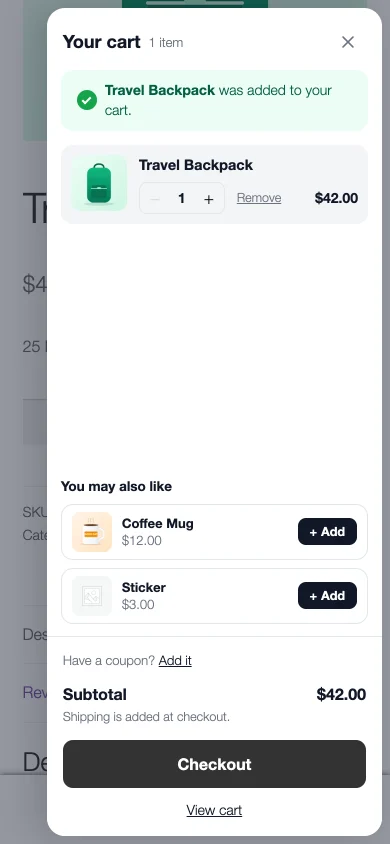
After Add to cart, most shops reload the page or jump to the cart page. CartBrim slides the cart in from the side instead: the product just added, the rest of the cart, the subtotal and a big Checkout button. Shoppers check out, or close it and keep shopping.
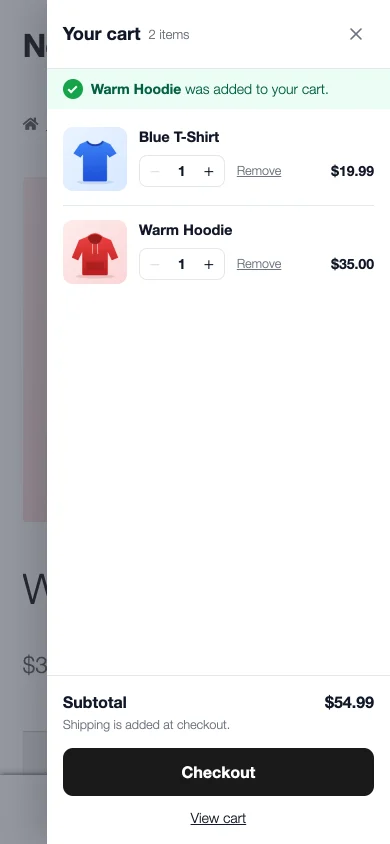
What the free plugin does
What Pro adds
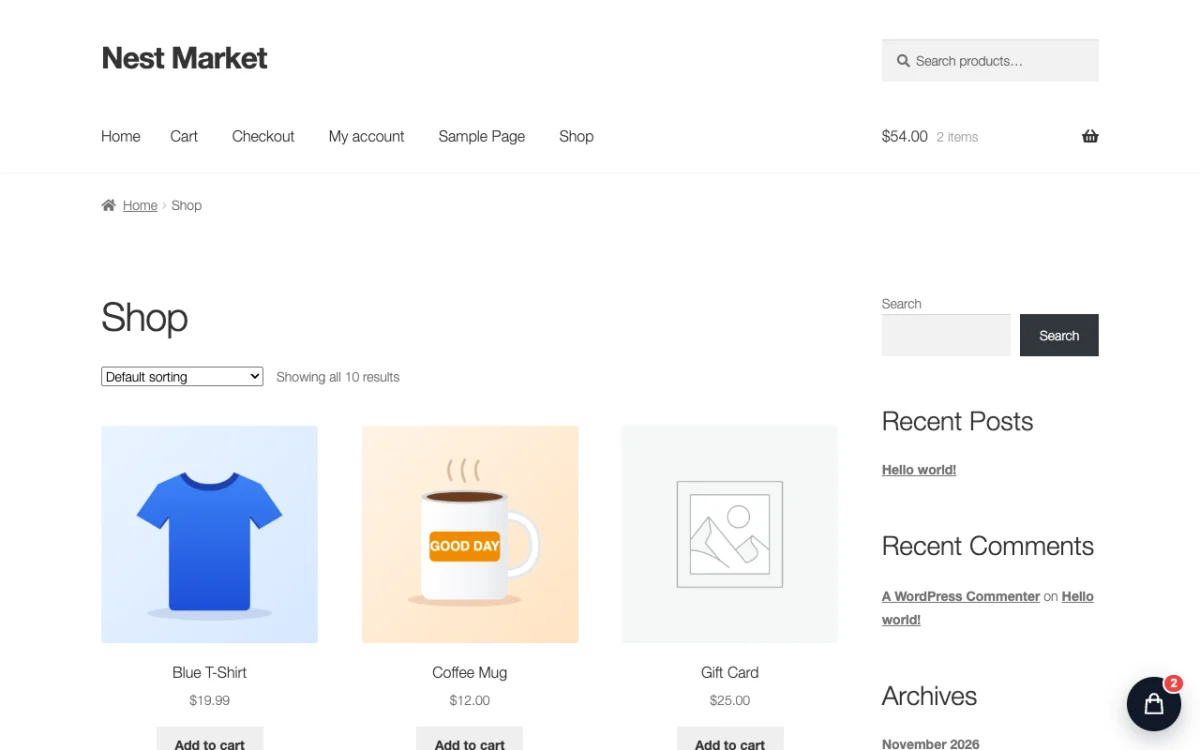
See it in a real shop
Free or Pro?
| Feature | Free | Pro |
|---|---|---|
| Side cart after Add to cart, without page reload | ✓ | ✓ |
| Quantity buttons, Remove, subtotal, Checkout | ✓ | ✓ |
| "Added to your cart" line | ✓ | ✓ |
| Corner cart button | ✓ | ✓ |
| Opens from the header cart and cart links | ✓ | ✓ |
| Own title, button text, side and button color | ✓ | ✓ |
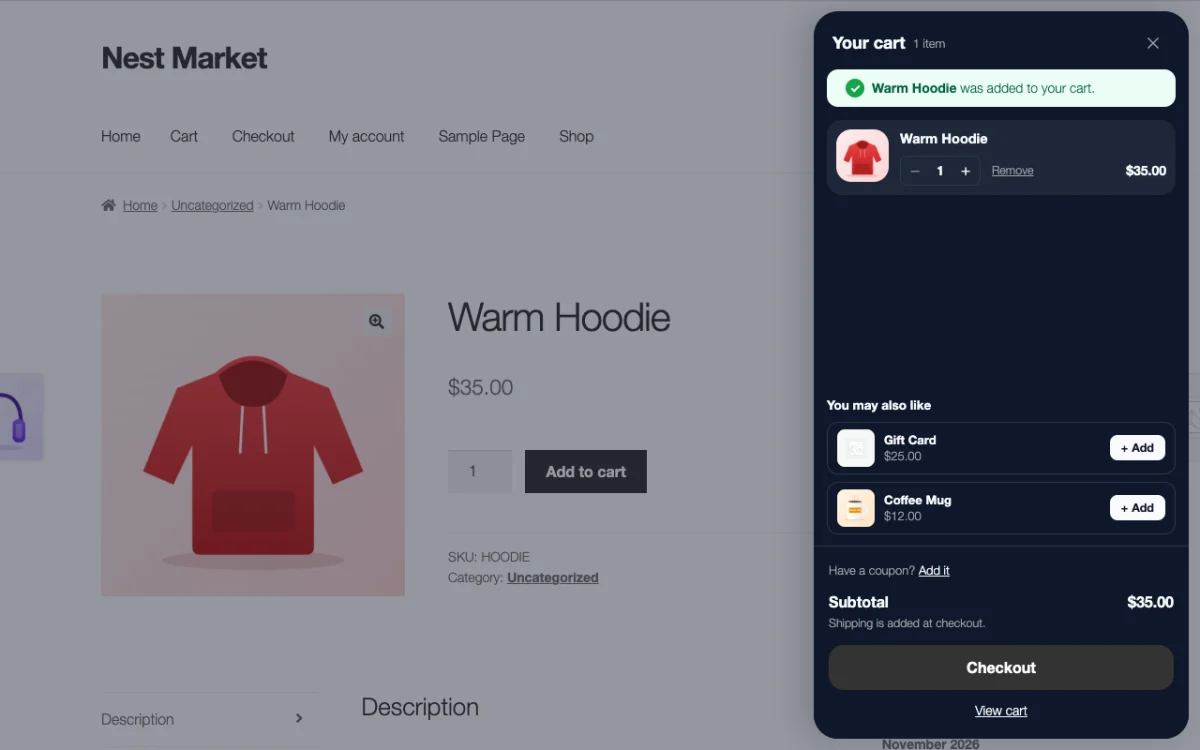
| You may also like (one-tap add) | – | ✓ |
| Coupon box | – | ✓ |
| Floating card and full design | – | ✓ |
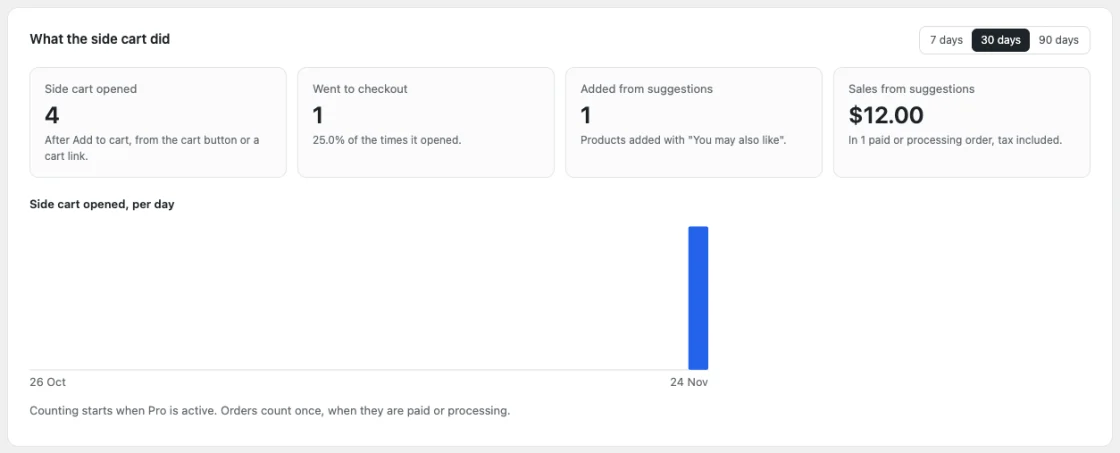
| Report | – | ✓ |
CartBrim Pro
Pick how many shops and for how long. The free plugin stays free.
1 site
For one shop
5 sites
For agencies and shop groups
Unlimited sites
As many shops as you like
All Pro features in every plan. Monthly and yearly licences do not renew by themselves: we email you before the end with a Renew button, and you keep the same key. Local and staging sites never use up a site. Secure checkout by PayPro Global, our reseller.
Good to know
Does it replace my cart page or checkout?
No. They stay as they are. The side cart has a View cart link and a Checkout button that open them.
Does it work with page caching?
Yes. The page holds an empty side cart; its content is loaded for each shopper.
My shop goes to the cart page after Add to cart.
That is a WooCommerce setting (WooCommerce → Settings → Products). CartBrim follows it. Turn it off to use the side cart.
Something else?
Write to help@oneclickorderpro.com or use the contact form.
More plugins
 CartPin
by Plugin Nest · Conversion
Sticky Add to Cart bar. Keeps the Add to cart button on screen. A slim bar with the product, price and button slides in when shoppers scroll down.
Free
Pro from $3.99 a month
 CartMeter
by Plugin Nest · Conversion
Free shipping progress bar. Shows shoppers how much more to spend for free shipping. The bar fills up as they add products.
Free
Pro from $3.99 a month
 New
CartKnock
by Plugin Nest · Conversion
Back in stock alerts. Shoppers leave their email on a sold-out product and get one email when it is back.
Free
Pro from $3.99 a month